Upload the target photo
Choose the photo whose face you want to replace. JPG, PNG or WebP up to 20 MB.
 Live Face Swap
Photo face swap
Upload a photo and a clear face. The AI replaces the face in the photo and keeps the pose, lighting and expression, so the result looks like an original picture. No watermark, and results stay private to your account.
4 credits per photo · No watermark · Private to your account
The photo whose face will be replaced. JPG, PNG or WebP up to 20 MB.
One clear, front-facing face with the eyes, mouth and face outline visible.
4 credits per photo
Uploads and results are private to your account. Results show no watermark.
Both people are fictional and were generated with AI for this example.
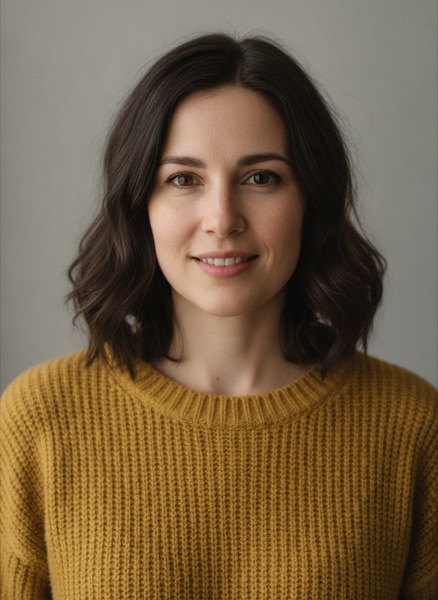
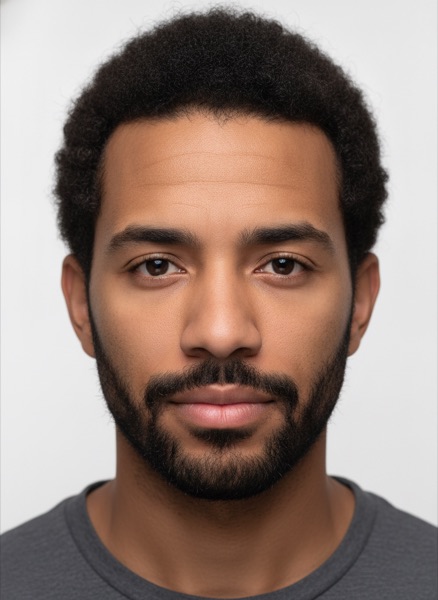
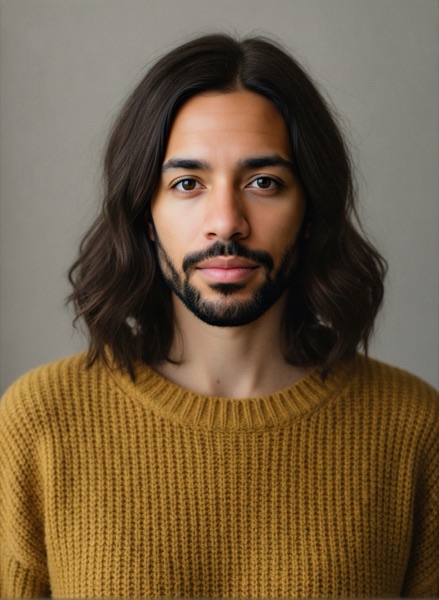
Choose the photo whose face you want to replace. JPG, PNG or WebP up to 20 MB.
Add one clear, front-facing photo of the face to swap in.
Confirm you have permission to use both faces, then start the swap for 4 credits.
The swapped photo appears in seconds. Download it as a JPG or find it later in your account.
Put a friend's face, with their permission, into a meme template or a group shot for a laugh.
See your own face on a superhero, a historical portrait or a fantasy character before you commit to a costume.
Try a model, an actor or your own face in a poster or storyboard frame before a real shoot.
Live Face Swap also swaps your face in real time on a webcam, in the browser or through the Windows and Mac app as a virtual camera for OBS, Zoom, Teams and Discord.
Each photo face swap uses 4 credits. Credits come from one-time packs that never expire, and the same balance pays for video, GIF and live face swaps.
The largest face in the target photo is replaced. Crop the photo first if you want to swap a different person.
No. Downloads are full-quality images without a watermark.
A sharp, well-lit photo that looks straight at the camera, with the eyes, mouth and face outline visible and nothing covering the face. A similar head angle in both photos gives the most natural blend.
Uploads and results are visible only in your account, and other users cannot see them. Every upload is checked for explicit content.
Only use your own face or faces you have permission to use. Do not use face swaps to impersonate, deceive or harass anyone, and do not create sexual or explicit images.